Search
Items tagged with: Feditip



#Feditip
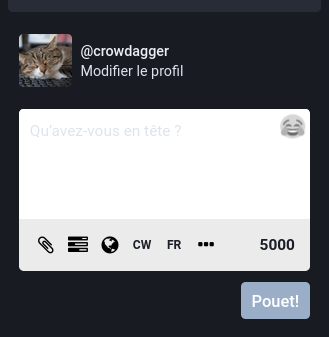
If you are admin of your instance but only via the web interface, you can modify the "Publish" button back to "Toot!" with the following hack:
1) go to server parameters, apparence, and then locate the custom CSS textbox.
2) Add the following CSS code to hackily replace "Publish" with "Toot" or "Pouet" or whatever:
.compose-form__publish-button-wrapper button {
text-indent: -9999px;
line-height: 0; /* Collapse the original line */
}
.compose-form__publish-button-wrapper button:after {
content:'Toot!';
text-indent: 0;
display: block;
line-height: initial; /* New content takes up original line height */
}
and voilà! (thanks to this answer on stack overflow stackoverflow.com/a/22054588)
How can I replace text with CSS?
How can I replace text with CSS using a method like this: .pvw-title img[src*="IKON.img"] { visibility:hidden; } Instead of ( img[src*="IKON.img"] ), I need to use something that can replace t...Stack Overflow