
Cover Photo Add-On for Friendica


Cover Photo Add-On Version 1.0 · Random Penguin / coverphoto · GitLab
This is the initial public release of the Cover Photo Add-on for Friendica 2024.12 and 2025.07-rc. It adds a user interface to the website/webapp version of...GitLab



Steam UK users will now need a credit card to access mature content due to the Online Safety Act
Valve recently put up a new support page, detailing the steps they've taken to comply with the UK Online Safety Act.Liam Dawe (GamingOnLinux)

Exclusive: Inside the hellhole train station the short-fingered vulgarian wants to get his tiny hands on
like this
Explore user-friendly GUI task managers for Linux that make system monitoring a breeze. 👇
itsfoss.com/gui-task-managers-…

7 Best GUI-based Task Managers for Linux Desktop
Want a task manager for Linux but don't want to go the terminal way? Here are the GUI ones I explored recently.Ankush Das (It's FOSS)
Want to automate #Visualization and create sleek reports for any #Data you are working with? We have an app for that!
🧠Analytics🧠 connects data from #Nextcloud Files, Activity, Notifications, Flow, Dashboard, and more — all in one place!
Try it now: 👉 apps.nextcloud.com/apps/analyt…
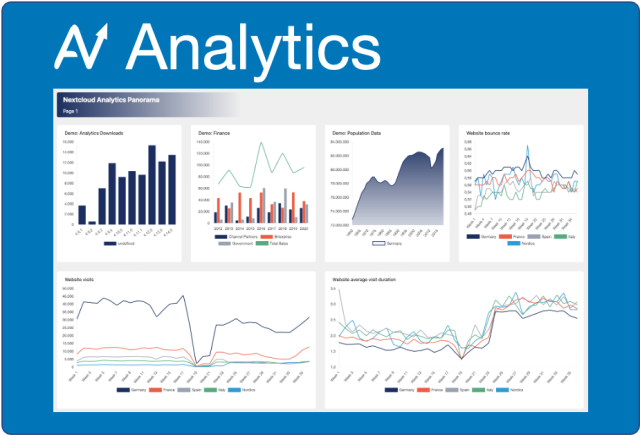
Analytics - Apps - App Store - Nextcloud
The Nextcloud App Store - Upload your apps and install new apps onto your Nextcloudapps.nextcloud.com
"El software libre nos permite auditar el código, detectar vulnerabilidades y crear comunidad." Sara Zambrano del @somos_CAD
Acá nuestra más reciente entrevista:
sursiendo.org/2025/08/software…

Software libre, seguridad y privacidad como bienes comunes: aprendizajes desde el CAD | Sursiendo
Sara Zambrano, directora ejecutiva del CAD, conversa con Sursiendo sobre el origen, el presente y los desafíos de esta organización. Desde su misión de…sursiendo (Sursiendo)
Vampire Survivors latest Beta adds online play and more new content gamingonlinux.com/2025/08/vamp…
#VampireSurvivors #Gaming #Linux #SteamDeck #PCGaming
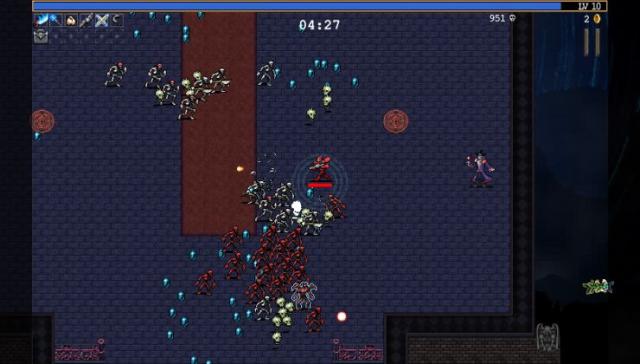
Vampire Survivors latest Beta adds online play and more new content
Vampire Survivors is finally getting the promised online mode, with a Beta now available to try that also includes some new content.Liam Dawe (GamingOnLinux)
indieweb.social/@indiewebadmin…
Admin (@indiewebadmin@indieweb.social)
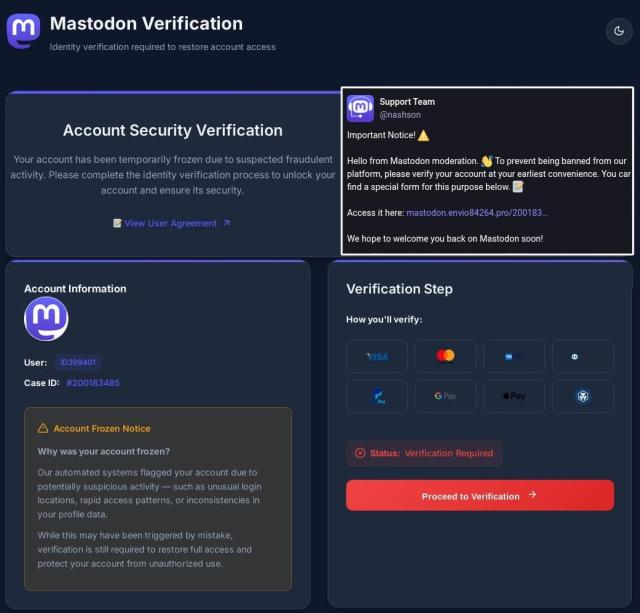
🚨 Mastodon Support Scam 🚨 It looks like there's another wave of fake Mastodon support accounts asking you to verify your account. Do NOT click on any links in these posts. Please report them to your server admin as soon as possible.Indieweb.Social
Spice up your VS Code setup with these themes! 🪄
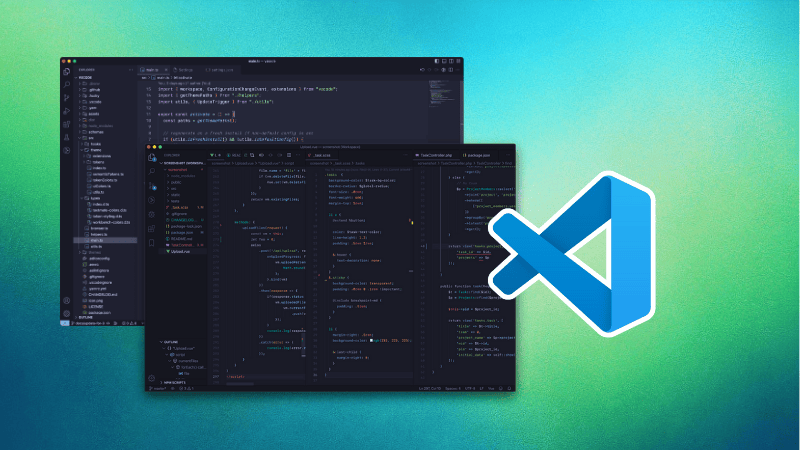
19 Beautiful Themes to Get a Better Visual Experience With VS Code
Your code may be ugly, but at least make them look good with these themes for the VS Code editor.Abhishek Kumar (It's FOSS)
Thirty years ago, this week, an article diagnosing the "Californian Ideology" of Silicon Valley was published. This scathing critique has become a badge of honor for the new tech right.
As I argue today in Tech Policy Press, it has never been more relevant: techpolicy.press/thirty-years-…
Thirty Years On, the Californian Ideology is Alive and Well
In the seminal essay, Barbrook and Cameron insisted that there are other ways to build technology, and to do it democratically, writes Nathan Schneider.Nathan Schneider (Tech Policy Press)
Proton has cooked up something new.
news.itsfoss.com/proton-emerge…
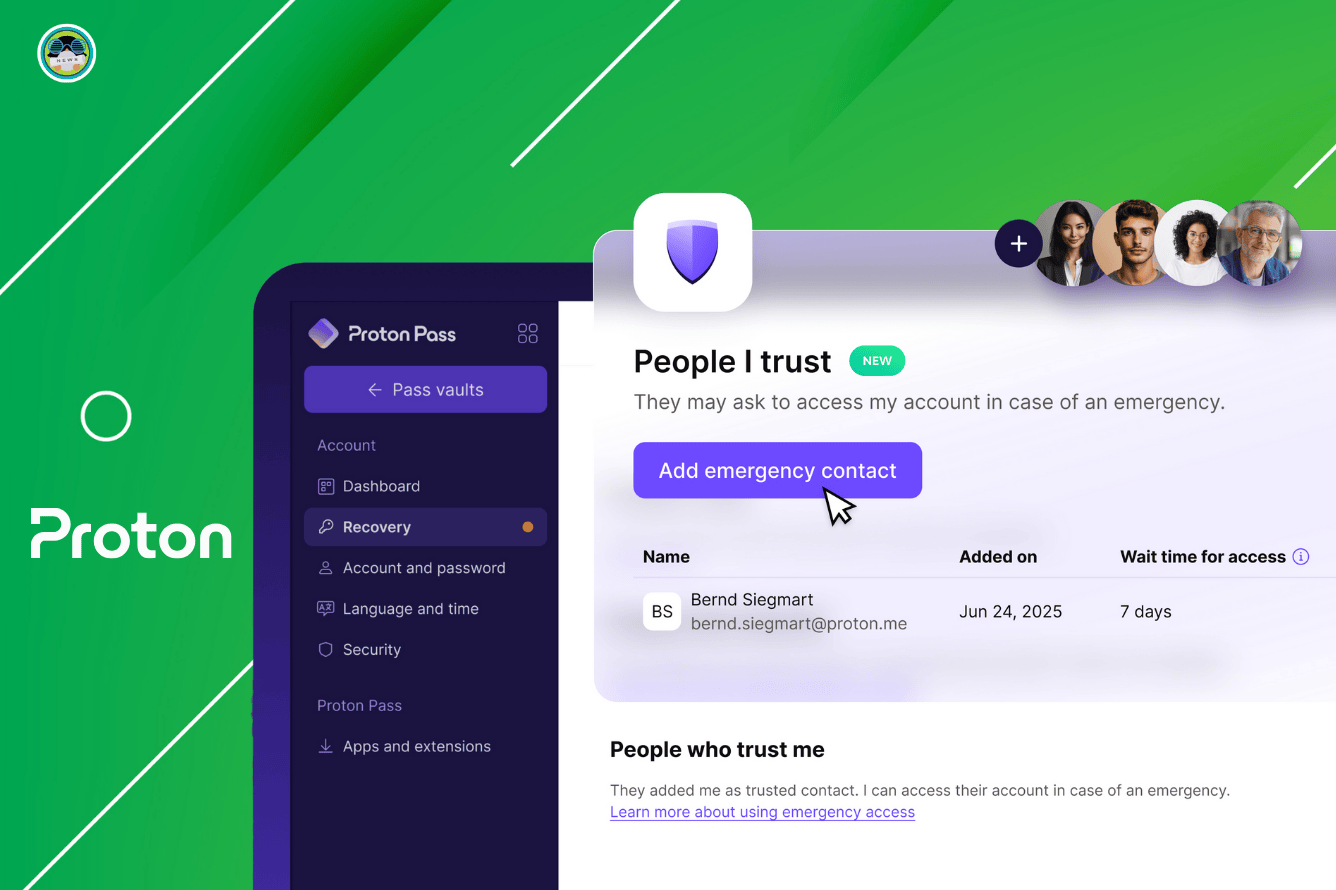
What Happens to Your Email Account When You Get Hit By a Bus? Proton's Got Your Back
This should be useful during emergencies.Sourav Rudra (It's FOSS News)
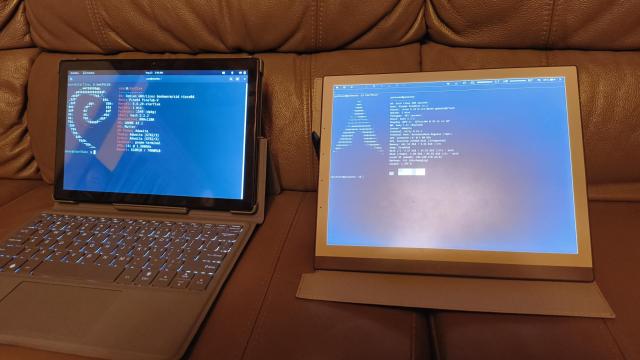
Community member hrdl has released an Arch based image which includes their new display driver. Overall responsiveness has significantly increased since the last demo. The setup uses a sway config that allows brightness and display modes to be changed quickly.
PineNote users can find the image and instructions at their sourcehut repo
(git.sr.ht/~hrdl/pinenote-dist)
#pine64 #PineNote #mobilelinux
Thanks for the small documentation updates, hrdl! They made the process that much easier!
PINE64 Community reshared this.



Steam UK users will now need a credit card to access mature content due to the Online Safety Act gamingonlinux.com/2025/08/stea…

Steam UK users will now need a credit card to access mature content due to the Online Safety Act
Valve recently put up a new support page, detailing the steps they've taken to comply with the UK Online Safety Act.Liam Dawe (GamingOnLinux)

This makes me think there are some very weird contradictions going on. Am I correct to think a parent in the UK could easily gift their child a mature game in a physical format, but not a mature Steam game? Would either even be illegal? Or only the Steam one because it’s digital?
It seems like all PC games are currently digital, but most console games are still available in a physical format. So a 13 year old could presumably be gifted mature games and could trade them with friends.
I think I heard that 16 year olds in the UK can enter bars? Can parents give a 16 year old alcohol? I’d imagine that would be more harmful than gifting a 16 year old Halo 3.
Quick update:
There was a miscommunication concerning the future of ARM devices in the recent Mastodon post announcing the discontinuation of the PinePhone Pro.
New devices from PineStore will continue to come with ARM SOCs and will not be going away in favor of RISC-V models. Devices will continue releasing with variations like the PineTab2 and PineTab-V.
This should have been communicated earlier so we apologize.
Have a great weekend!
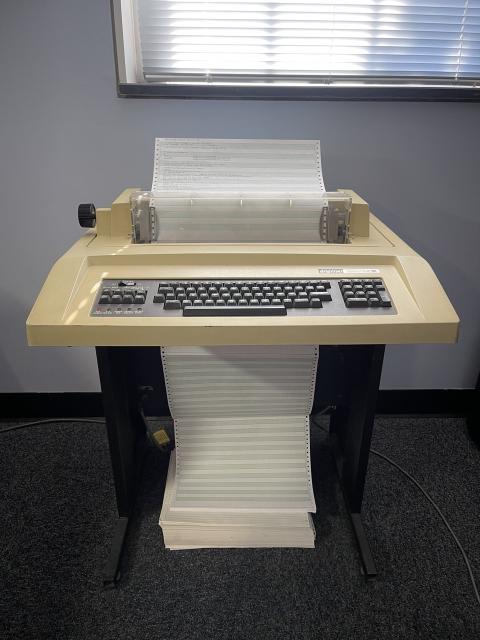
The closest alternatives are very expensive. Android is Windows in mobile world.

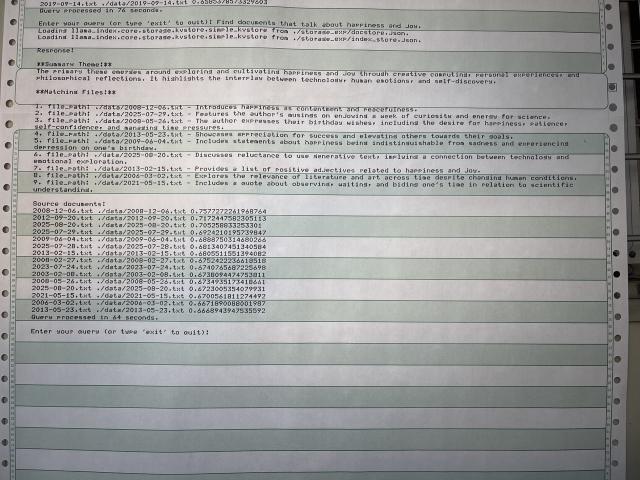
If I do disappear, find me here:
linktr.ee/gammitin

At first, it seemed to me that one of those guys who tried to debate with me these days was offended so much that he sent a complaint, but to be honest, it looks like a scam.
⚠️ / mastodon.social/@nashson/11511…
@Mastodon, @Gargron, am I right?
Roguelike third-person mech-action shooter RIG Riot to be Steam Deck optimised gamingonlinux.com/2025/08/rogu…
#RIGRiot #Gaming #PCGaming #Linux #SteamDeck #SteamOS

Roguelike third-person mech-action shooter RIG Riot to be Steam Deck optimised
I'm a ridiculous sucker for mech-action games and RIG Riot just landed on my radar. A oguelike third-person mech-action shooter with some fun looking combat.Liam Dawe (GamingOnLinux)
Monster-catching, dungeon-crawling RPG Siralim Ultimate gets a big 2.0 update gamingonlinux.com/2025/08/mons…
#SiralimUltimate #IndieGames #PCGaming #Gaming #Linux
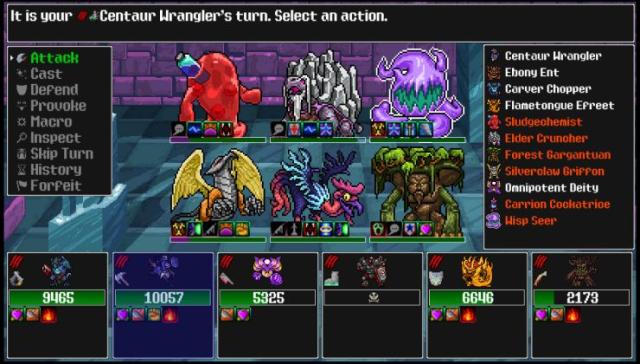
Monster-catching, dungeon-crawling RPG Siralim Ultimate gets a big 2.0 update
Despite the developer being done with it, they've expanded it again. Siralim Ultimate 2.0 is out now as the "biggest update ever".Liam Dawe (GamingOnLinux)
Müller's Gibbons AKA Southern Grey Gibbons have ash grey fur and a contrasting facial ring. They sing in powerful dawn duets 🐒🐵📢🎶🎷 to mark territory. Don't let the forest of #Borneo 🇮🇩 go silent! #BoycottPalmOil 🌴⛔️ #Boycott4Wildlife
Popular sci-fi roguelike deckbuilder Cobalt Core added Linux support gamingonlinux.com/2025/08/popu…
#CobaltCore #Linux #IndieGames #DeckBuilder #PCGaming
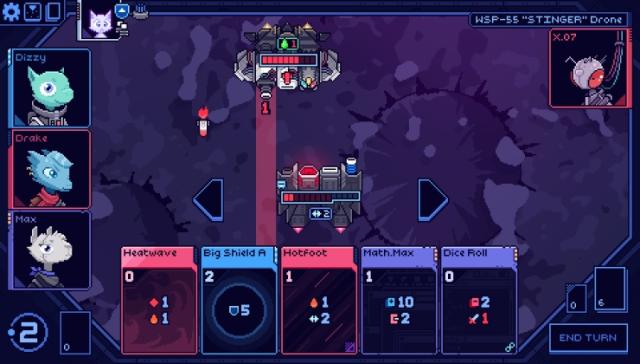
Popular sci-fi roguelike deckbuilder Cobalt Core added Linux support
Rated Overwhelmingly Positive from users on Steam, the sci-fi roguelike deckbuilder Cobalt Core just added official Linux support.Liam Dawe (GamingOnLinux)
Check out the demo for Solace Creek a horror game blending suspense, exploration, stealth & puzzle solving gamingonlinux.com/2025/08/chec…
#SolaceCreek #IndieGames #Demo #Horror #Linux #PCGaming
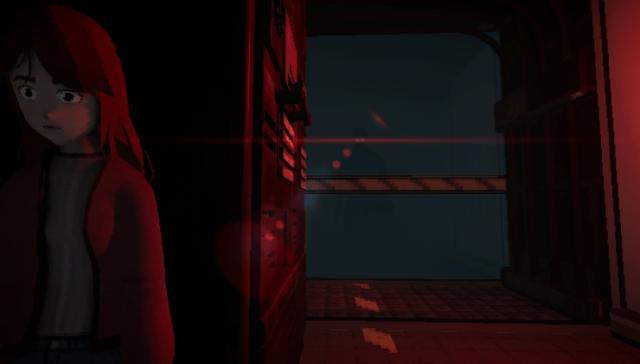
Check out the demo for Solace Creek a horror game blending suspense, exploration, stealth & puzzle solving
Developer starlit studio recently put up a Linux demo for Solace Creek, a retro-styled horror game that has a focus on suspense, exploration, stealth & puzzles.Liam Dawe (GamingOnLinux)
Grab Ace Attorney and Mega Man collections in the Duo of Justice Humble Bundle gamingonlinux.com/2025/08/grab…
#Gaming #PCGaming #HumbleBundle

Grab Ace Attorney and Mega Man collections in the Duo of Justice Humble Bundle
The Duo of Justice Humble Bundle is live with a collection of Ace Attorney and Mega Man to add to your Steam library.Liam Dawe (GamingOnLinux)
OBS Studio 32.0.0 Beta 1 released with a new plugin manager gamingonlinux.com/2025/08/obs-…

OBS Studio 32.0.0 Beta 1 released with a new plugin manager
OBS Studio is set to get even more advanced for all your recording and streaming needs on Linux, with the introduction of a new plugin manager.Liam Dawe (GamingOnLinux)
Proton Experimental gets fixes for DOOM Eternal, Resident Evil Village, Red Dead Redemption 2 and more gamingonlinux.com/2025/08/prot…
#Linux #SteamOS #SteamDeck #Proton #LinuxGaming
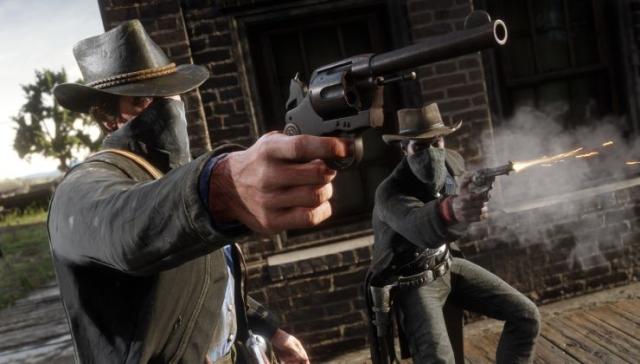
Proton Experimental gets fixes for DOOM Eternal, Resident Evil Village, Red Dead Redemption 2 and more
Valve released a fresh update to Proton Experimental for August 28th, bringing plenty of improvements for Windows games on Linux / SteamOS and Steam Deck.Liam Dawe (GamingOnLinux)
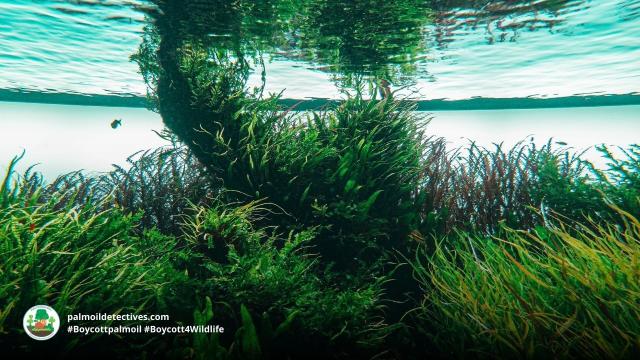
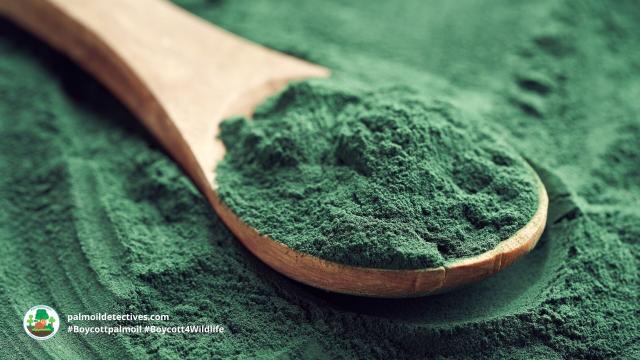
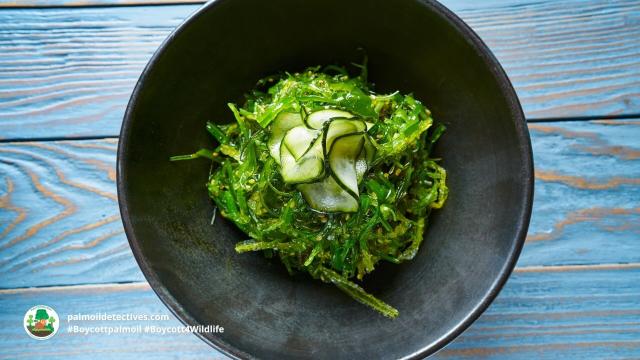
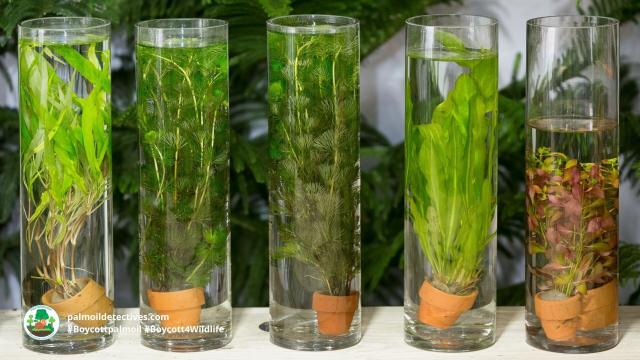
Humble Algae: The Solution to Palm Oil Ecocide
Consumers, businesses and researchers have shown growing interest in microalgae in recent years. Use of Arthrospira platensis (spirulina) as a food supplement is one example. Others include how mic…Palm Oil Detectives

“Lustre Universal Components: the best of Elm and Phoenix LiveView - H. Thompson | Lambda Days 2024”
Great @Rudy Fraser writeup from @New_Public on how Blacksky is the most exciting thing going in decentralized social right now.
🔭🖤🚀 Social media’s next evolution: decentralized, open-source, and scalable newpublic.substack.com/p/how-b…

🔭🖤🚀 Social media’s next evolution: decentralized, open-source, and scalable
How Blacksky grew to millions of users without spending a dollarRudy Fraser (New_ Public)
DocumentDB has a new home now!
news.itsfoss.com/documentdb-mo…

Microsoft's DocumentDB Finds New Home with Linux Foundation
DocumentDB joins the Linux Foundation to ensure open, vendor-neutral development.Sourav Rudra (It's FOSS News)
Install Fedora effortlessly by following this:

Installing Fedora Linux in the Simplest Possible Way
Put the Fedora on your computer.Abhishek Prakash (It's FOSS)
Please ... Don't make it more complicated than it needs to be ...
infosec.exchange/@dazo/1150997…
🔗 David Sommerseth (@dazo@infosec.exchange)
Attached: 4 images @benzogaga33@mamot.fr I wonder why they omit the Fedora Media Writer approach ... - Download/install Fedora Media Writer (available for Linux, macOS and Windows) - Plug in a USB flash drive - Select Fedora version to prepare - Wa…Infosec Exchange
This is how people lock up power at the top.
youtube.com/shorts/a2suemvbvw4…
- YouTube
Enjoy the videos and music that you love, upload original content and share it all with friends, family and the world on YouTube.youtube.com
like this
Palm Oil Free Chocolate, Candy and Confectionery
Buying chocolate, candy or lollies as a gift or just want to indulge yourself? Then enjoy your chocolate fix without eating rainforest-destroying palm oil! If you are ever in doubt look for the pre…Palm Oil Detectives
>come home
>open internet
>see pixel 10 just dropped
Random Penguin
in reply to Random Penguin • • •Ok, I don't know what's going on here. I did not see this on my Dev Server but am seeing it on a live server:
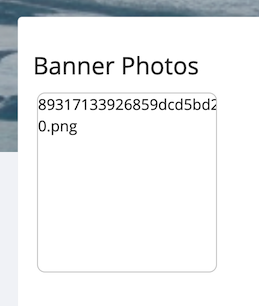
I see a flash of the thumbnail image and then it's replaced with this. The thumbnail image is there if I switch themes from "Frio" to "Vier." I also had to set a coverphoto more than once and refresh my "Photos" multiple times to get it to show the "Banner Photos" album at all.
My add-on does not create the "Banner Photos" album nor does it generate the thumbnails. I believe those are handled by the
Photo::uploadBanner()function. Or it's something in how "Frio" generates the Photo albums since "Vier" isn't doing this. I don't know. I can't reproduce this on my Dev Server.Random Penguin
in reply to Random Penguin • • •Okay, I've narrowed it down. This is only happening in "Frio" because of the jQuery "justifiedGallery" framework. It is adding a dash and a random number to the end of the image URL, but it is also throwing an
Uncaught TypeError: this.resetImgSrc is not a function.I've searched through every JS file for both Frio and the Friendica core and can't find "resetImgSrc" defined anywhere. Why this is only affecting the Cover Photo thumbnails I have no clue. I don't know where that dash and number are getting added to the thumbnail image URL either.More investigating I guess...
Random Penguin
in reply to Random Penguin • • •This is only happening in "Frio" and has something to do with the jQuery justifiedGallery framework and to do with a dash and number added to the end of the thumbnail image URL. It looks like the thumbnails for those cover photos already have the that in the filename and then something is trying to add another one and then the URL doesn't point to an actual file anymore. I need to figure out where that URL is getting altered or why the URL is coming into the page already appended.
The good news is this doesn't affect the actual cover photos, just the thumbnails in your photo albums and only in the Frio theme.
Random Penguin
in reply to Random Penguin • • •Random Penguin
in reply to Random Penguin • • •Random Penguin
in reply to Random Penguin • • •MISSING THUMBNAILS FIX FOR FRIO
Okay, I've figured out a fix for the missing Banner Photo album thumbnails. It is being caused by the jQuery justifiedGallery script, which is adding a sizing suffix to the image when there is already one there. So I just added a check for the suffix before adding it and that fixed it.
Admins who want to patch it right now just replace the script at /view/theme/frio/frameworks/justifiedGallery with this one:
github.com/randompenguin1/frie…
I have also submitted a PR for this change.
This only addresses the missing thumbnail issue. It does not fix any of the other image gallery issues.
I think this may have something to do with Banner/Cover Photos not going through the normal image upload process when Friendica generates the image copy? Not sure about that.
𝕔𝕙𝕣𝕚𝕤
in reply to Random Penguin • • •Awesome! This is something I have really anticipated!
Am not sure whether I'll get around to testing it on my instance though. Am not sure how involved that is? But will definitely use it once it has been tested
Random Penguin
in reply to Random Penguin • • •𝕔𝕙𝕣𝕚𝕤
in reply to Random Penguin • • •In the same go I also installed the Bookface scheme, because I wanted to have the cover photo shown as banner in the background.
It works as I expected, so that is great! However, I tested with three different images with different dimensions (one panorama, two normal-size) and all of them are getting blurred on the profile page. Is this something you are aware of? Or is it because I should you specific dimensions on the image?
Random Penguin
in reply to 𝕔𝕙𝕣𝕚𝕤 • • •What's happening is if you select an image from your Photos library in Frio/Bookface the image being set for your profile is being scaled to 640 pixels wide. This is only happening in Frio so I suspect it's yet another error being caused by the jQury justifiedGallery script.
Because none of the other themes use that framework and they all process the image properly. Also, if you go to the Photos section on your profile and click an image until you get down to where it just displays the raw image in your browser, copy that URL and paste that]/i] into the add-on the image will not be resized to 640 pixels wide. If it was really big it may be downsized to 960 pixels wide because the
Photo::uploadBanner()scales the images down to that.I need to look into where/how the 640 pixel resizing is happening, but again it seems to be the gallery in Frio that is doing it.
That said, the Photo gallery modal doesn't work right in [i]any theme. Vier won't let me select a sub-album, only images showing as "Recent" on the first page. Frio
... show moreWhat's happening is if you select an image from your Photos library in Frio/Bookface the image being set for your profile is being scaled to 640 pixels wide. This is only happening in Frio so I suspect it's yet another error being caused by the jQury justifiedGallery script.
Because none of the other themes use that framework and they all process the image properly. Also, if you go to the Photos section on your profile and click an image until you get down to where it just displays the raw image in your browser, copy that URL and paste that]/i] into the add-on the image will not be resized to 640 pixels wide. If it was really big it may be downsized to 960 pixels wide because the
Photo::uploadBanner()scales the images down to that.I need to look into where/how the 640 pixel resizing is happening, but again it seems to be the gallery in Frio that is doing it.
That said, the Photo gallery modal doesn't work right in [i]any theme. Vier won't let me select a sub-album, only images showing as "Recent" on the first page. Frio will let me navigate to another album but selecting an image won't close the modal window (and that image gets downsized to 640 pixels wide).
𝕔𝕙𝕣𝕚𝕤
in reply to Random Penguin • • •Thanks for the reply!
I'll try your workaround later.
Btw are you also the developer of the Bookface scheme?
Random Penguin
in reply to 𝕔𝕙𝕣𝕚𝕤 • • •𝕔𝕙𝕣𝕚𝕤
in reply to Random Penguin • • •ok, tried your workaround and it did not work.
but then I reread your message and it sounds like, that images wider than 960 will be scaled down. Does that mean that screens wider than 960px will use a stretched version of the 960px image? if so, that could explain why my image is blurred?
Random Penguin
in reply to 𝕔𝕙𝕣𝕚𝕤 • • •The downsizing is hard-coded into the Friendica core
Photo::uploadBanner()function. There's nothing I can do about that. Bookface scales the image up to 1920px wide which would make it look a little blurry. If it's the 640 pixel wide image it will look really blurry.In a future update to Bookface I'm likely going to limit the width of the cover photo to 960px instead of 1920px to prevent the blurring issue.
The workaround should work if the image is publicly visible. It should work with image URLs from anywhere actually. But you have to make sure you are all the way to the raw image where it is the only thing in the browser window and the URL in the address bar ends in ".jpeg" or ".png"
Kāpitan
in reply to Random Penguin • • •Lasse Gismo (Friendica Antifa)
in reply to Random Penguin • • •Thanks - long waited for, will try and come back.
Random Penguin
in reply to Random Penguin • • •Random Penguin
in reply to Random Penguin • • •Ugh! And yet *another* problem I just discovered with the Photo gallery modal. If the image you select has a caption stored it will fail to get the URL properly. I need to fix the JS code that extracts the image URL. That never occurred to me because on my Dev Server I never enter captions for the images I upload. But I do on a live server and it just bit me.
Stay tuned for an update soon. I want to see if I can fix another issue with the modal image browser before I push an update.
Random Penguin
in reply to Random Penguin • • •I never noticed this before but apparently you never could navigate to sub-albums in the Photo Browser modal in Vier? I just tried it on 3 different servers. The problem is the links go to "#" (nowhere) instead of the sub-albums. If they're supposed to have JS listeners attached to them they don't.
Anyway, that's a separate problem that has nothing to do with my Add-on.
Random Penguin
in reply to Random Penguin • • •UPDATE TO VERSION 1.1
DOWNLOAD HERE: gitlab.com/randompenguin/cover…
Thanks to all the great feedback here I've already got some fixes in place:
Some of the other issues can only be fixed in Friendica itself. I've already submitted these as PRs and some are already merged into the dev branch, but Admins can also go grab these scripts and manually replace the files on their server to get the fixes right now:
1.
... show moreUPDATE TO VERSION 1.1
DOWNLOAD HERE: gitlab.com/randompenguin/cover…
Thanks to all the great feedback here I've already got some fixes in place:
Some of the other issues can only be fixed in Friendica itself. I've already submitted these as PRs and some are already merged into the dev branch, but Admins can also go grab these scripts and manually replace the files on their server to get the fixes right now:
1. /view/js/module/media/browser.js fixes the inability to navigate to albums in the photo browser modal in themes other than Frio. It also makes the script data returned from selecting an image consistent between Frio and non-Frio themes, which in turn reduces potential errors in Cover Photo retrieving the selected image URL.
2. /view/theme/frio/frameworks/justifiedGallery/jquery.justifiedGaller.min.js fixes the missing Cover Photo thumbnail images on the Photo pages when using the Frio theme.
Kāpitan
in reply to Random Penguin • • •Random Penguin
in reply to Kāpitan • • •I don't know if it makes any difference that server is running Friendica 2024.08, I only tested the add-on in 2024.12 and 2025.07-rc.
Try setting it again. In my experience it doesn't always succeed in creating the "Banner Photos" album on the first try. No clue why. My add-on doesn't actually do that part, it's in the Friendica code.
Also make sure you actually ticked the "Enable" checkbox in the add-on and that other platforms can directly access your Friendica public photos, go to Settings > Account > Security and Privacy > Make all posted pictures accessible and tick that checkbox if you haven't done already.
It took a couple hours before my Cover Photo would show up on Mastodon.
#SpaceHost Help
in reply to Random Penguin • • •@vextaur @capitan
We did the theme installation.
However, we will go ahead to update your server to the latest version. Kindly note that it will be down for about an hour for the update. Thanks.
#SpaceHost Help
in reply to #SpaceHost Help • • •@vextaur @capitan
We have updated your Friendica to 2024.12-1, which is the latest stable release.
You will also need to follow all the guidelines in the link you shared- dillyofapickle.com/display/8aa…
Kindly let us know if there is any other way we could help.
[share author='Random Penguin' profile='https://dillyofapickle.com/profile/randompenguin' avatar='https://keybored.me/photo/30383127656859e422b2b94937963389-5.jpeg?ts=1761865392' link='https://dillyofapickle.com/display/8aa28c03-1768-b221-56e5-e89517846698' posted='2025-08-29 21:53:26' guid='8aa28c03-1768-b221-56e5-e89517846698' message_id='https://dillyofapickle.com/objects/8aa28c03-1768-b221-56e5-e89517846698']
Cover Photo Add-On for Friendica
... show more@vextaur @capitan
We have updated your Friendica to 2024.12-1, which is the latest stable release.
You will also need to follow all the guidelines in the link you shared- dillyofapickle.com/display/8aa…
Kindly let us know if there is any other way we could help.
[share author='Random Penguin' profile='https://dillyofapickle.com/profile/randompenguin' avatar='https://keybored.me/photo/30383127656859e422b2b94937963389-5.jpeg?ts=1761865392' link='https://dillyofapickle.com/display/8aa28c03-1768-b221-56e5-e89517846698' posted='2025-08-29 21:53:26' guid='8aa28c03-1768-b221-56e5-e89517846698' message_id='https://dillyofapickle.com/objects/8aa28c03-1768-b221-56e5-e89517846698']
Cover Photo Add-On for Friendica
I got a little sidetracked from working on a new theme and ended up making this add-on that finally creates a user interface for setting/changing/showing Friendica's built-in profile Cover Photo. Every other social media platform out there shows these, it's about time Friendica did too. I'm looking for any server admins who want to test this on a live server.
Okay, you might know them as a "Header Image" (Mastodon, Tumblr), "Banner" (Bluesky), or "Cover Photo" (Facebook). I'm sticking with "Cover Photo" because that's what I called it in my Bookface scheme for Frio, and because the words "header" and "banner" are used in Friendica's code to refer to half a dozen different things. For example the back-end functions are things like "uploadBanner" and "getDefaultBanner" but the data is stored in the profile's "header" key because the "banner" key is for something else. So "Cover Photo" it is!
Until now the only way to set/change/see this image in Friendica was if you were using one of the third-party mobile apps that supports Friendica it could be (somewhat) managed through the API. But there was no interface for doing it through the Friendica website/webapp and none of the available themes would show it. I've been working on a new theme for Friendica that would support showing it and ended up making this add-on to show it in every theme.
I have tested this in both the 2024.12 stable release and the 2025.07 release candidate. So far as I can tell it works equally well in either of them. This is how it shows the "Cover Photo" on the profile in all of the main themes:
It will also show the image across ALL the top of the Profile sub-pages
* /profile/username/
* /profile/username/profile
* /profile/username/conversations
* /profile/username/photos (but none of the photo sub-pages)
* /profile/username/media
* /profile/username/calendar
* /profile/username/notes
* /profile/username/schedule
* /profile/username/contacts (and all sub-pages)
* /contact/00 (where "00" is the contact ID number)
* /contact/00/conversations
* /contact/00/posts
* /contact/00/media
* /contact/00/contacts (and all sub-pages)
You can paste a public image URL into the box if you're pulling it from elsewhere or you can browse for an image in your Photos library. Either way Friendica makes a copy and puts it in a "Banner Photos" album. On submission the add-on will check whether it is a local image or not, and if it is local it will check the permissions and warn you if you selected a non-public image.
You will likely also want to go into your Friendica Settings > Account > Security and Privacy and tick the box for "Make all posted pictures accessible". Other platforms don't know how to handle Friendica's photo permissions. What this does is make sure if you posted a publicly accessible image that it is actually publicly accessible to other platforms.
On my development server I have my stable and RC Friendica installs connected to a WordPress install sharing over ActivityPub. In my testing it successfully shows the Cover Photos for the ActivityPub users. I'm assuming it will show "Header Images" from Mastodon as well but I have not been able to test this. I'm also not sure if you set a Cover Photo with this add-on whether or not it propagates to other platforms.
I included translations for a dozen languages, but these are AI translations so I can't say if they're nonsense or not. I only know English.
Oh, and another important thing is it won't show you any Cover Photos for anyone, including yourself, if you don't at the very least tick the "Enable Cover Photos on Profiles" checkbox in the add-on!
Lastly, if you already set up a Cover Photo using the
[class=coverphoto]…[/class]method in Bookface you can also use the add-on, but on some Profile pages your BBcoded one will override the Friendica-native one. You could also set them to the same image and nobody would notice.@Friendica Admins @Friendica Developers
DOWNLOAD FROM GITLAB
gitlab.com/randompenguin/cover…
Kāpitan
in reply to #SpaceHost Help • • •Kāpitan
in reply to Random Penguin • • •@Random Penguin Does it create the space on the profile for it, or is that supposed to already be there, as my profile looks like this:
No space for a profile image unlike your sample images.
Random Penguin
in reply to Kāpitan • • •Yes it creates it using the page header hook. It first checks the page name and if it's on one of the profile pages it next checks that the Cover Photo add-on is enabled. If it is then it checks whether the profile array's "header" key has a value or not. If it has a value it inserts a span with the image in it plus a link button to the add-on settings.
(My add-on specifically does not use either
User::getBannerUrl()norContact::getDefaultBanner()because those will show the default platform banner if you don't have a cover photo of your own set and I only want to show the image if you've set one).If it is not showing up it means either the "Enable" checkbox is not ticked in the add-on settings or it never set the "header" image in the profile array. The only solution I can offer is to just try and set an image again.
Matthias
in reply to Random Penguin • • •@Random Penguin
Thank you very much for this add-on. It's love at first sight 😀
A note: if a remote profile is called up, the banner sticks directly to the first post. I created a little space with this code in line 68.
Perhaps this will be of interest to you.
Random Penguin
in reply to Matthias • • •I guess the seamlessness of it didn't bother me, but I can see how it makes the image look like it's part of that first post.
Rather than always adding a 10px margin I made it add it only on other people's profiles, because on your own there will be the edit button - and exactly how much space there is (if any) between that button and the image depends on what theme you are using and how it styles that button type.
So that section now looks like this:
... show moreI guess the seamlessness of it didn't bother me, but I can see how it makes the image look like it's part of that first post.
Rather than always adding a 10px margin I made it add it only on other people's profiles, because on your own there will be the edit button - and exactly how much space there is (if any) between that button and the image depends on what theme you are using and how it styles that button type.
So that section now looks like this:
You may also notice it is now
$html .=instead of just$html =in case there are any other add-ons or functions that hook intopage_content_top. Otherwise the coverphoto add-on would overwrite them.